
Cargogen
Container yard seen from above
Product · Overview

Software for running freight jobs, from booking to invoice.

You open a job for each shipment and enter the details once. Upload the commercial invoice and CargoGen fills in the cargo lines for you to check. From the same job you print the house bill of lading and manifest, track the customs entry and raise the customer invoice.

The product

Screens from the app

Taken from the app as it runs today: the dashboard, the shipment list, reports and the assistant.
app.cargogen.com/dashboard
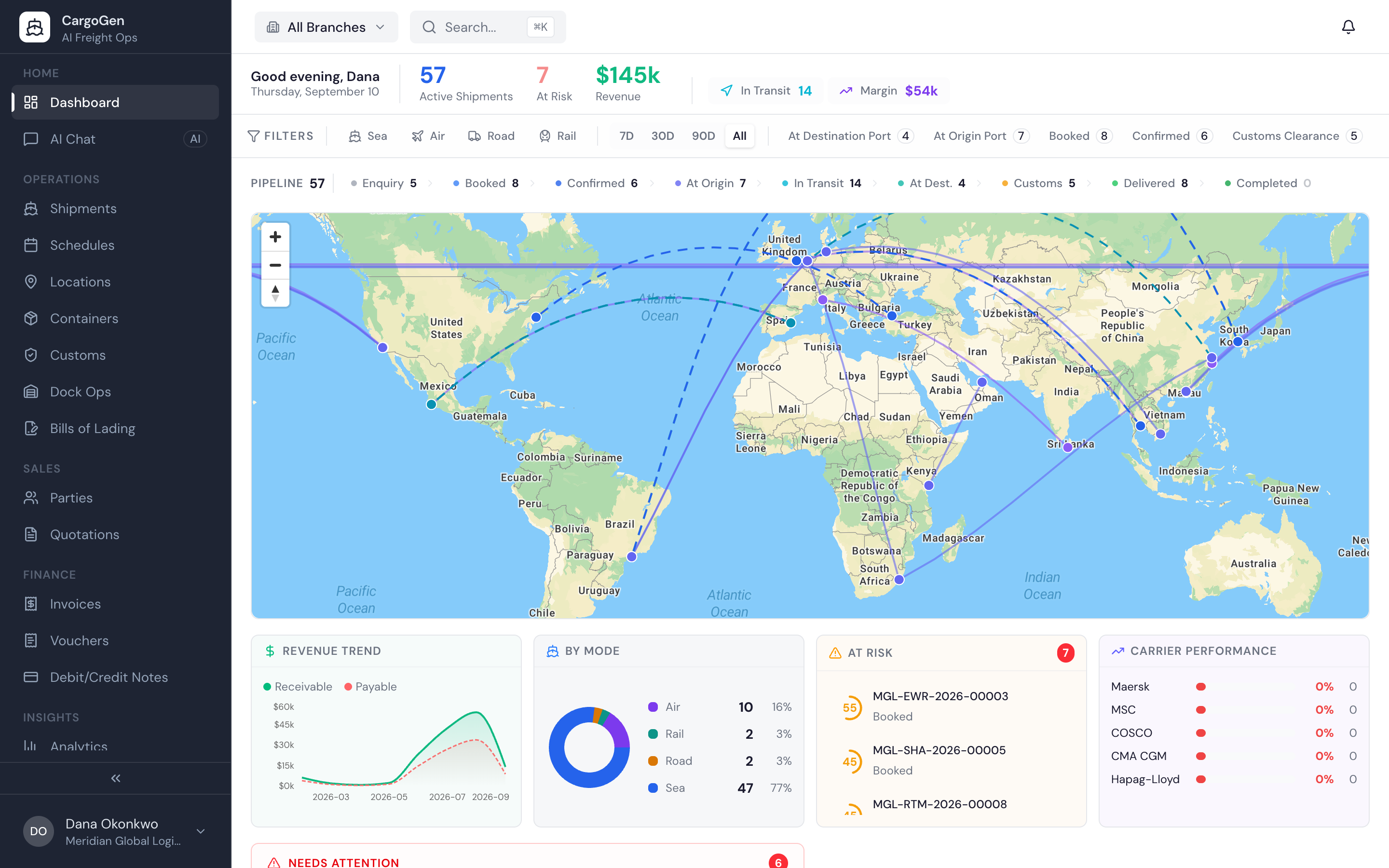
CargoGen operations dashboard with a live world map, pipeline, revenue trend and at-risk alerts
The dashboard: shipments on a map, jobs by status, revenue, and jobs flagged as at risk of delay.
app.cargogen.com/shipments
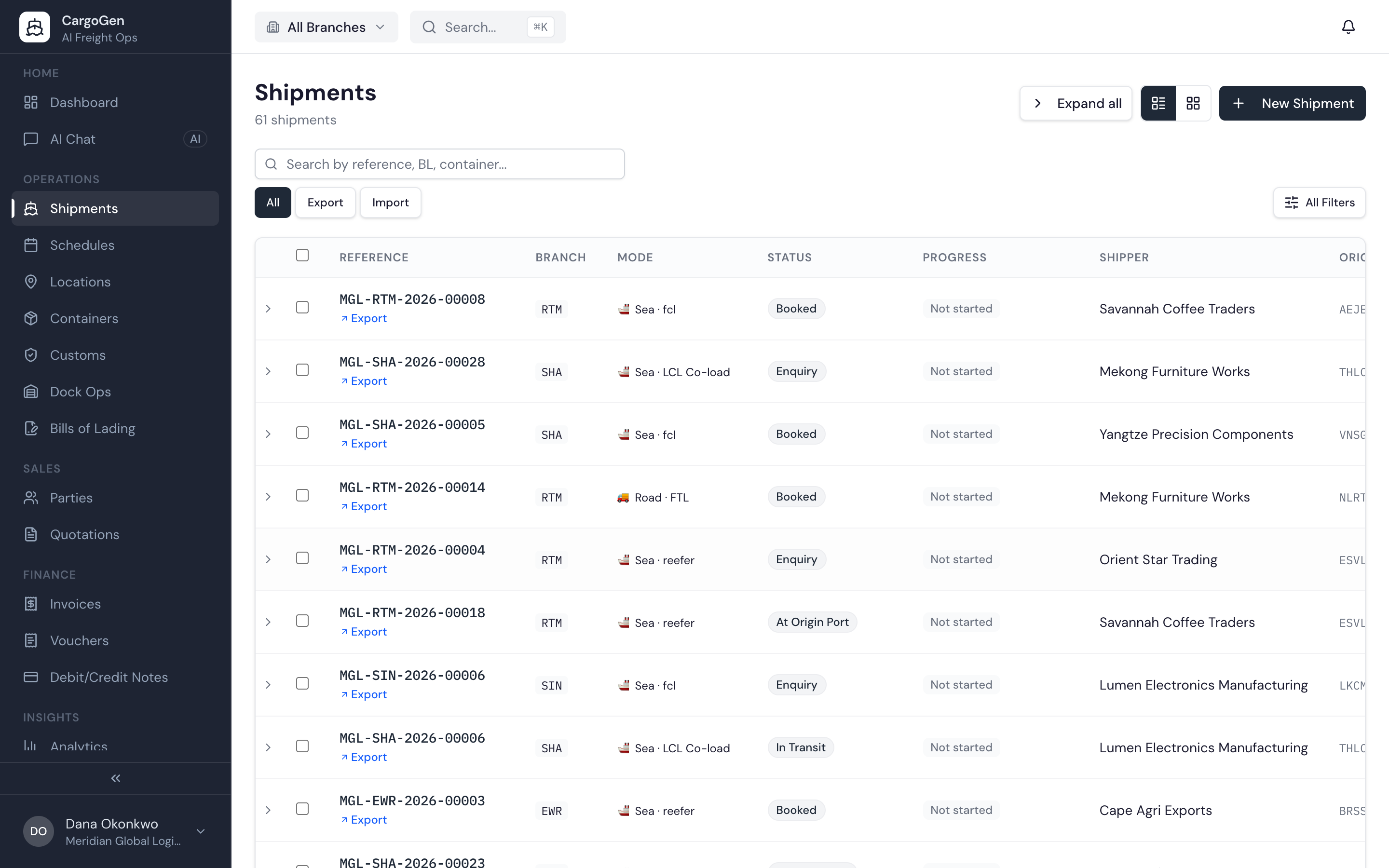
CargoGen shipments list across sea, air and road with statuses, shippers and ports
The shipment list. One row per job, with mode, status, shipper and ports.
app.cargogen.com/analytics
CargoGen analytics with revenue, margin, active shipments and a revenue trend chart
Reports on revenue, margin and number of jobs, by month.
app.cargogen.com/chat
CargoGen AI assistant answering an operations question with a live KPI snapshot
Ask a question about your jobs, like margin by customer, and get the answer as a table or chart.
HOW IT FITS TOGETHER

Everything works off the job, so nothing is typed twice.

01SHIPMENTS

Open and run the job

One job per shipment, by sea, air, road or rail, export or import. Shipper, consignee, route, containers, milestones, tasks and charges all sit on the job.

02BILLS OF LADING

Print the BL

House bills of lading and cargo manifests are filled from the job data, along with the packing list, arrival notice and delivery order. Check them in preview, add your stamp, and keep every version.

03CUSTOMS

Track the customs entry

Record the entry number, status, broker and duty against the job. CargoGen does not file with customs; your broker does, and CargoGen keeps the record.

04FINANCE

Bill the customer

Enter buy and sell charges on the job and see the margin. Raise invoices in any currency, and issue debit and credit notes.

05AI ASSISTANT

Let AI do the reading

AI reads commercial invoices and vendor bills into the right fields. You can also ask questions about your jobs and get answers from your own data.

06VISIBILITY

Know where things stand

Vessel positions on a map from AIS data, a list of jobs that need attention, and reports on volume, revenue and margin.

AT A GLANCE

What CargoGen covers

4 modes
SEA · AIR · ROAD · RAIL
FCL · LCL · Ro-Ro · express · FTL · LTL
Upload
COMMERCIAL INVOICES
AI fills the cargo lines, you check them
Auto
TASKS · APPROVALS
created when a job is opened or changes status
Multi
BRANCH · CURRENCY
user roles and customer KYC documents
DATA AND CONNECTIONS

Where your data lives and what it connects to

Each company's data is kept separate from every other company on CargoGen. Staff at a branch see only that branch's jobs, and admins see all of them. You can see how much AI you've used and how much is left this period.

Separate data per companyBranch-level accessAI usage shown
CONNECTIONS
VesselsLive AIS data
AIOur customized AI models
EmailSent from your own address
HostingIn the cloud, files encrypted
AccessWeb browser, no install